
Run the back office on one platform.
The internal, staff-facing side of your organization — IT, assets, fleet, maintenance, people, reporting, and configuration — runs on one login and one shared data core. Nothing gets re-keyed from a spreadsheet into another system, and every team sees the same record: the same person, the same department, the same asset, the same history. It's the whole back office of local government, on one platform.
Every internal team, on the same core.
The desks behind the counter — help desk, asset room, shop floor, motor pool, HR office, and the analyst pulling the numbers — each get a full product, and all of them share one set of people, departments, and records.
IT service management
A real help desk with ticketing, SLAs, and change management — so requests get tracked, prioritized, and closed instead of living in an inbox.
Asset management & lifecycle
Track inventory from purchase to retirement with a CMDB, warranties, and assignments — you always know what you own, where it is, and who has it.
Work orders & maintenance
Costed jobs move across a status board from request to done, with labor, parts, and time captured against the asset they belong to.
Fleet management
Vehicles, preventive-maintenance schedules, and full service history in one place — the motor pool stops living on a clipboard.
HR & people
A single staff directory, evaluations, and personnel files — the same person record every other module already points to.
Reporting & analytics
Cross-module dashboards that read straight from the shared core, so leadership sees tickets, assets, jobs, and fleet in one view.
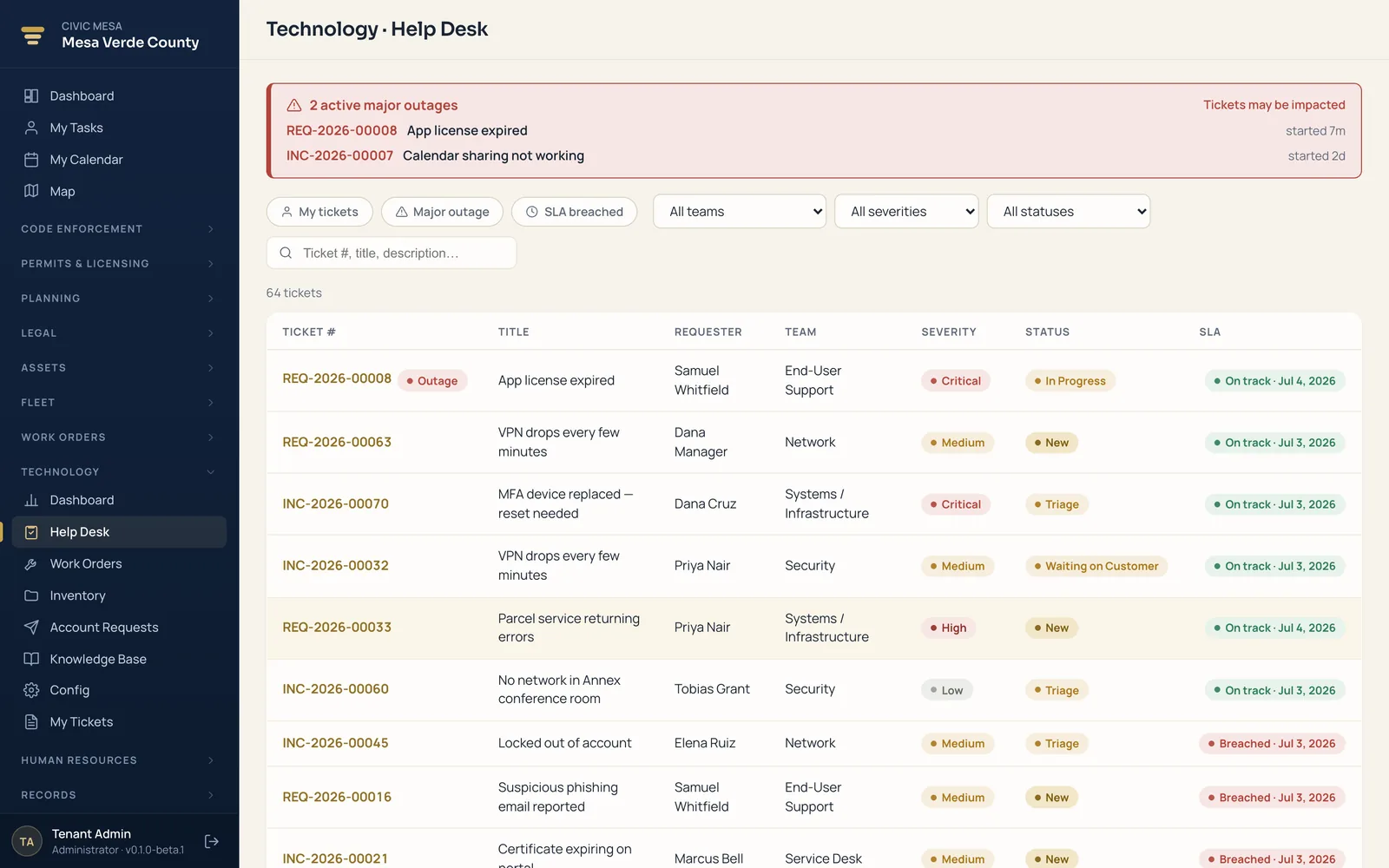
One login for everyone behind the counter.
Because every internal product reads and writes the same core, your teams stop maintaining parallel copies of the same information. A person, a department, or a piece of equipment is entered once and shows up everywhere it's needed — accurate, current, and shared.
- Shared people, departments, and records. One directory and one org structure sit under every module — no re-keying a name or a cost center into a second system.
- Guarded permissions per role. Each staff member gets exactly the access their role calls for, so the shared core is open to the people who need it and closed to those who don't.
- One dashboard across modules. Tickets, assets, work orders, fleet, and people roll up into a single view — no exporting and stitching spreadsheets together.
Configure it, staff it, and keep your data.
The internal side of the platform is yours to shape — set it up the way your organization works, give each person the access their role needs, and take your data out whenever you want. No change orders, no lock-in.
Self-serve configuration
Branding, districts, numbering, and templates are settings you own and change yourself — not change orders you file with a vendor and wait on.
Roles & permissions
Each person gets exactly the access their role needs, enforced everywhere — the same person record, gated the same way across every module.
Your data, portable
Import from your old vendor with the Migration Center and export in open formats any time — your records are yours, with no lock-in.
The products behind Internal Operations.
Each one is a complete product on its own — acquire a single team's tool, or run the whole back office on the shared core.
Internal Operations
The staff-facing back office — IT, assets, work orders, fleet, people, and reporting, all on one shared data core.
6 productsTechnology
IT service management for your whole department — help desk with SLAs, change management, and a knowledge base on one login.
IT directors · help-desk & support staffExplore the productAsset Management & Lifecycle
Every asset from purchase to retirement — inventory, CMDB, and warranties, tied to the tickets and people they touch.
IT directors · help-desk · asset coordinatorsExplore the productBuilding Maintenance
Every repair, PM, and inspection from request to close-out on a status board — with labor and parts costed automatically.
Public works · facilities · maintenance crewsExplore the productFleet Management
Every vehicle, mile, and service interval in one record — with preventive-maintenance schedules and full service history.
Fleet & shop supervisors · motor-poolExplore the productHuman Resources
One staff directory, evaluations, and personnel files — the same person record every other module already points to.
HR staff · department headsExplore the productReporting & Analytics
Cross-module dashboards that read straight from the shared core — tickets, assets, jobs, and fleet in one view.
Leadership · analysts · department headsExplore the productRun the back office on one platform.
Book a demo, then run a pilot on your own staff, assets, and departments — import from your current vendors with the Migration Center, dry-run first, and see IT, assets, fleet, work orders, HR, and reporting on one shared core. Unlimited users, and your data stays portable, so there's no lock-in.