
Hire, evaluate, and manage your people — all in one system.
Civic Mesa Human Resources is a complete HR suite your office can run on its own: applicant tracking from job posting to hire, a branded careers page residents apply on, an employee directory with departments and reporting lines, and performance reviews that finalize into an electronic personnel file. Acquire it by itself — or turn it on beside the rest of the Civic Mesa suite, where it manages the very people your other modules already reference. Either way, it's built to be the best product in its category.
Hire, evaluate, and manage your people in the same system.
A full HR suite for the county — applicant tracking from job posting to hire, a branded careers page residents apply on, an employee directory with departments and reporting lines, and performance reviews that finalize into an electronic personnel file. The people your other modules already reference, managed where they live.
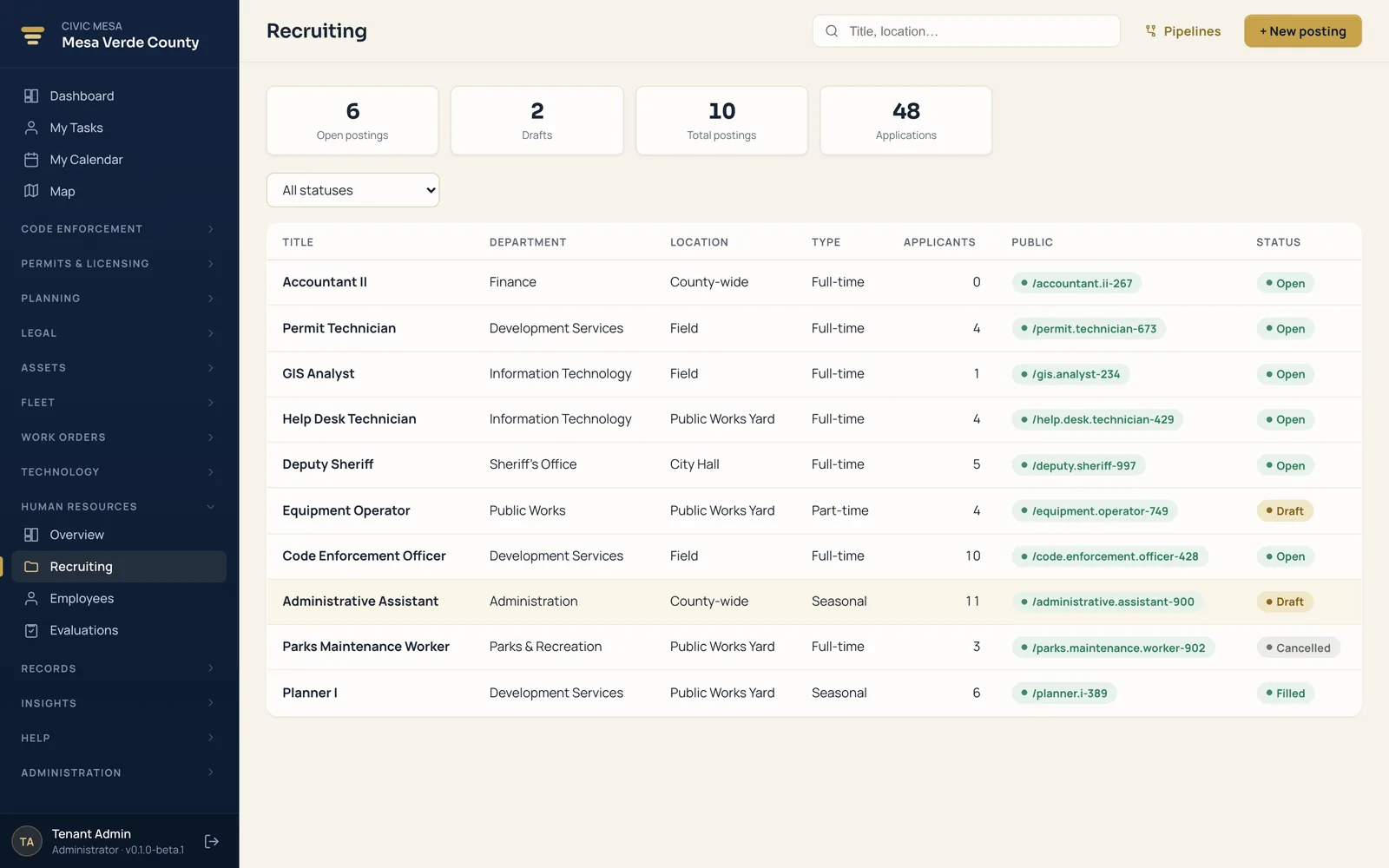
- Applicant tracking
Post a job, collect applications, screen candidates, schedule interviews, extend offers, and hire — all on one pipeline you configure.
- Public careers page
Open positions publish straight to your resident portal, where anyone can browse pay ranges and apply online with no account.
- Employee directory
Every employee, department, and reporting line in one place — with employment type, status, and a manager hierarchy.
- Performance evaluations
A six-stage review workflow with a public-sector competency library and a 1–5 rating scale your county relabels to match policy.
- Electronic personnel file
Finalized appraisals and documents publish into each employee's ePF and generate a PDF of record for the file.
- Departments & discipline
Organize staff by department, track disciplinary records, and watch headcount and hiring on the HR dashboard.
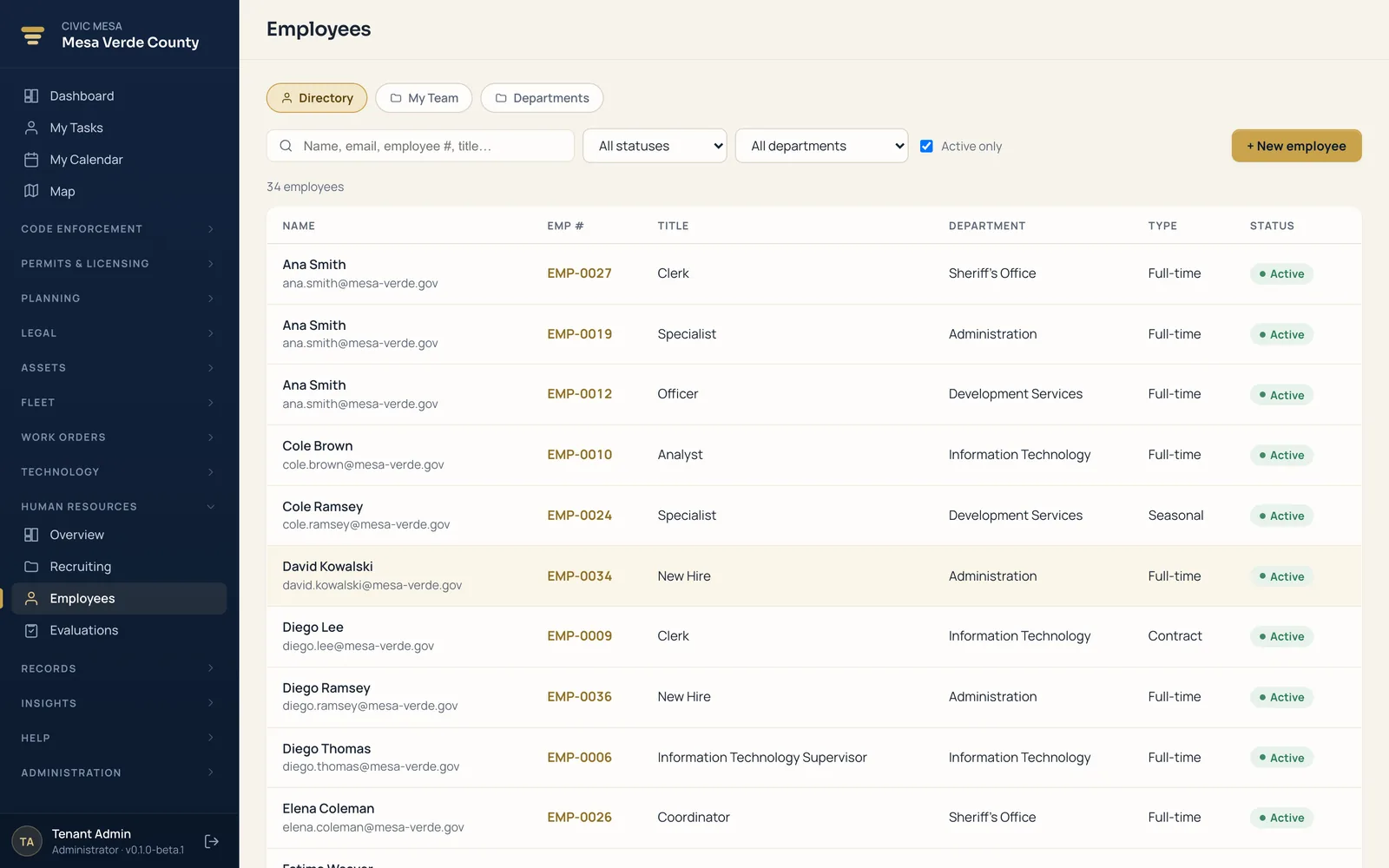
The people your other modules already reference — managed where they live.
Stop keeping the org chart in a spreadsheet. Every employee, department, and reporting line sits in one directory, so a name in a work order or a code case traces back to a real person, a real role, and a real manager.
- Every employee and department. One directory with employment type, status, and a full manager hierarchy — the roster the rest of your office runs on.
- Reporting lines that hold up. See who reports to whom and roll staff up by department, so headcount questions have a defensible answer.
- Discipline on the record. Track disciplinary records against the employee they belong to, kept where only the right roles can see them.
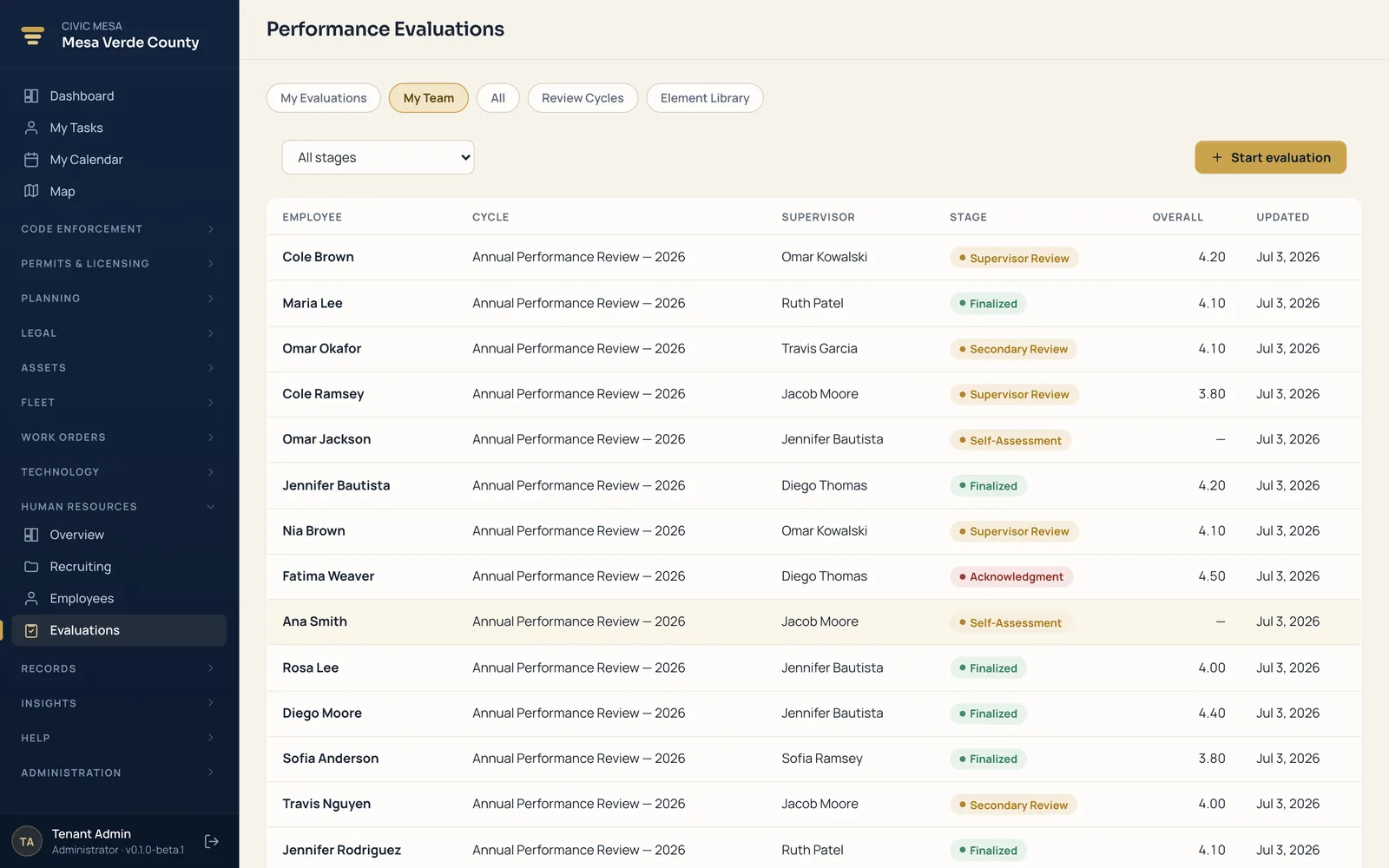
From a six-stage review to a personnel file — without re-keying it.
A performance review shouldn't end in a filing cabinet. Civic Mesa carries each appraisal through a defined workflow and finalizes it straight into the employee's electronic personnel file — a permanent record, not a one-off form.
- A six-stage review workflow. Every appraisal moves through defined stages with a public-sector competency library behind it, so reviews stay consistent across departments.
- A rating scale you control. A 1–5 scale your jurisdiction relabels to match its own policy — the wording is yours, the workflow is enforced.
- Finalizes into the ePF. Finalized appraisals and documents publish into the electronic personnel file and generate a PDF of record for the file.
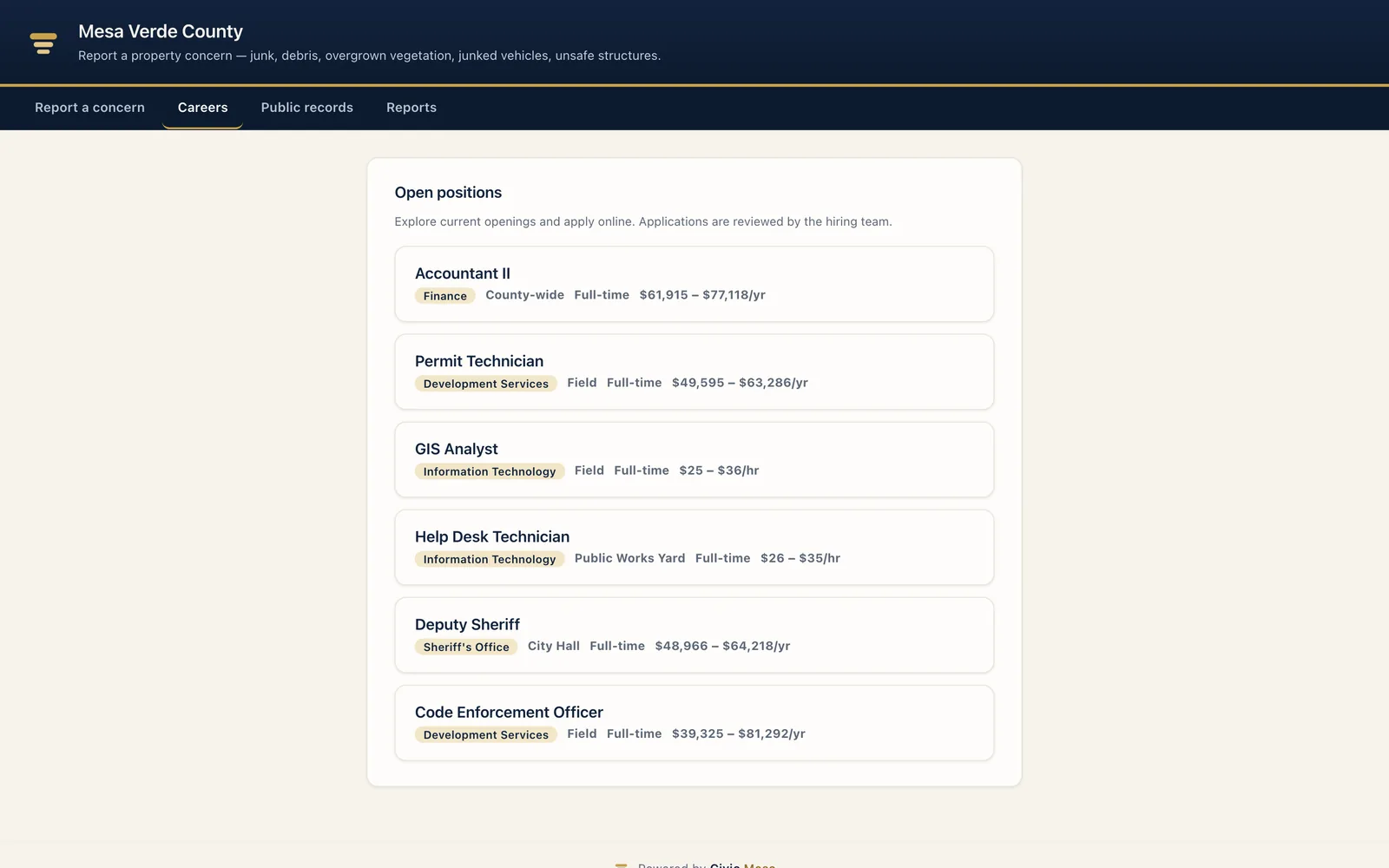
A careers page on your own portal — no account required.
Open a position in HR and it publishes to a branded careers page on your resident portal the same day. Candidates browse pay ranges and apply online, and every application lands back in the pipeline your team already works.
- Publishes from your postings. Open positions publish straight to the portal, so the public page always matches what your office is actually hiring for.
- Pay ranges in the open. Anyone can browse posted roles and their pay ranges without logging in — transparency residents expect from government.
- Apply online, no account. Residents apply without creating an account, and each application flows into the applicant-tracking pipeline automatically.
Right-sized for any local government — not just big counties.
Human Resources scales from a one-person HR office to a full department. It's the same top-tier product whether you're a county hiring across dozens of departments or a village posting a single seasonal opening — every user included in the price.
Counties
Recruit across dozens of departments on one configurable pipeline, run consistent six-stage evaluations countywide, and hand a complete electronic personnel file to any auditor who asks.
Cities & towns
Post openings to a careers page in your own branding, let residents apply online with no account, and manage the whole workforce — from public works to the clerk's office — in one directory.
Villages & small municipalities
A one-person HR office gets a real applicant-tracking system and personnel file instead of a spreadsheet — no IT department required, and every user is included in the price.
Special districts & authorities
Health, fire, housing, and utility districts hire, evaluate, and organize their own staff by department, with disciplinary records and appraisals kept where only the right roles can see them.
A full product today. A platform when you're ready.
Buy Human Resources by itself and run your whole HR office on it. Add another Civic Mesa product later and it clicks in under the same umbrella — the same people, departments, and portal — with no migration and nothing re-keyed.
Add Technology
A new hire in HR becomes an access request in the IT service desk — accounts and permission sets route down the right approval workflow, tied to the same person.
Add Reporting & Analytics
Headcount, hiring, and time-to-fill read into cross-module dashboards from one data core — with every figure exporting to the row it came from.
Add the Resident Portal
Your open positions publish to a branded public careers page where residents browse pay ranges and apply online — no separate applicant site to buy.
See Human Resources on your own jurisdiction.
Book a demo, then run a pilot on your real departments, postings, and branding — import from your current vendor, dry-run first, and evaluate on your own roster. Flat per-module pricing with unlimited users, and your data stays portable, so there's no lock-in.